A code explainer for your Mac
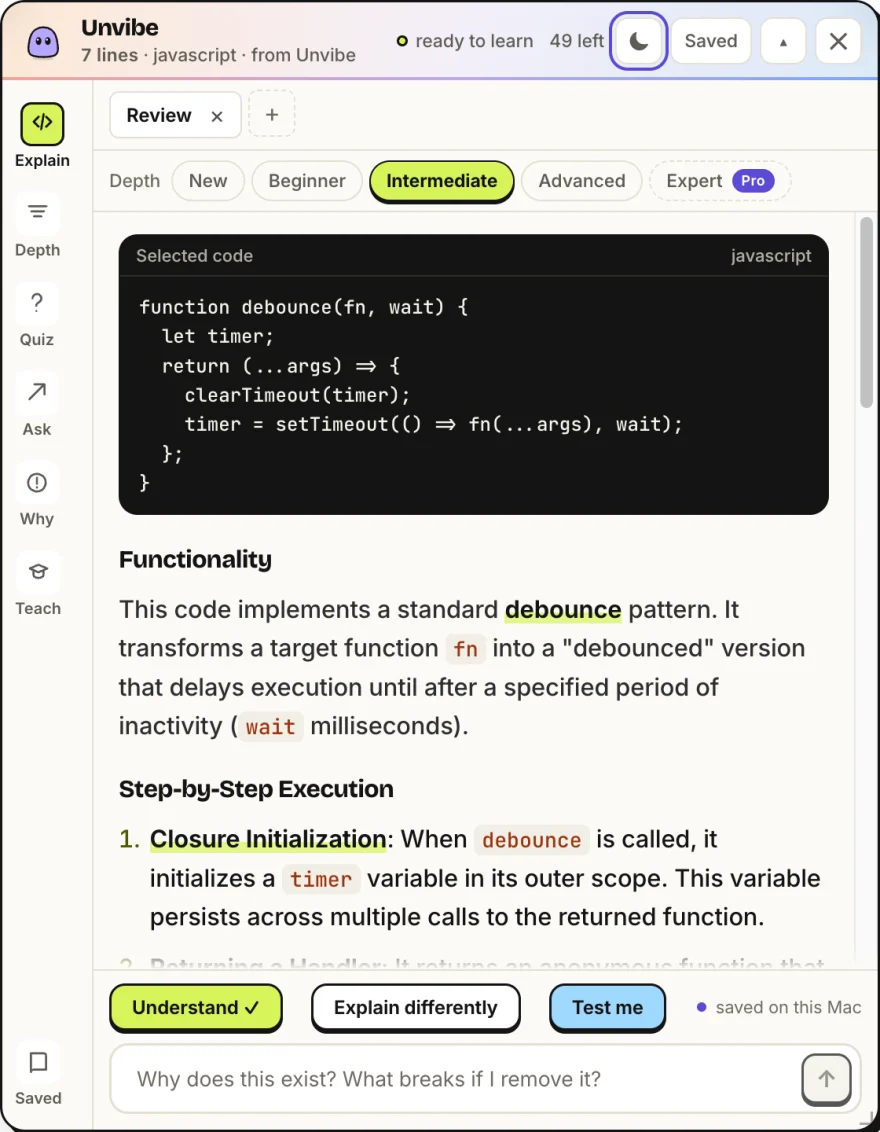
Unvibe is a free Mac app. Select code in any app, press Control+U, and Vibe explains it in plain English in a panel beside your editor.
How it works on a Mac
Select code in Cursor, VS Code, Xcode, Terminal or a page in Safari, then press Control+U. The panel opens beside the window you were in, and the explanation streams in as it is written. There is nothing to paste and no API key to set up.
Control+U is the default. You can change the shortcut in Unvibe's Settings.
Which Mac
Unvibe runs on Apple silicon Macs (M1 or newer) and on older Intel Macs. Each has its own build: the download button gets the Apple silicon one.
Older Intel Mac? Get the Intel build
The first open
Unvibe is not notarized by Apple yet, so the first time you open it macOS says “Unvibe Not Opened”. You allow it once with Open Anyway in System Settings, under Privacy & Security, and later versions install from inside the app with one click. The one-line Terminal install skips this step.
Every first-open step, for both installs
Why it asks for Accessibility
The first time you press Control+U, macOS asks you to let Unvibe use Accessibility. Unvibe uses it to copy the code you selected in the app you are in, which is how one shortcut works in every app. You grant it once, in System Settings under Privacy & Security, then Accessibility.
What it can explain
- Any code you select, at four free depths: New, Beginner, Intermediate and Advanced. Expert is part of Pro.
- Test me writes one question about the exact code you selected, to check the explanation stuck.
- Lessons you keep are saved to your Library on this Mac.
- Change Briefs list what changed in your git repo, made on your Mac, for free. The AI explanation of a change is Pro.
- “Why does this exist?” answers from git blame and the file's last 8 commits, which Unvibe reads in your repository on your Mac.
What is sent
Only what you ask about: the selected code with its file name and language (with Pro, some nearby code for context), or, on Pro, the git changes you ask the AI to explain, plus any question you type. Keys and tokens in the code are filtered on your computer first, and from version 0.1.44 so are your questions and Chat messages. Your repo is never uploaded.
Get Unvibe for Mac
Free, with no card and no API key.
On Windows? Unvibe for Windows. Want to try first? Explain code in your browser. All downloads are on the download page.